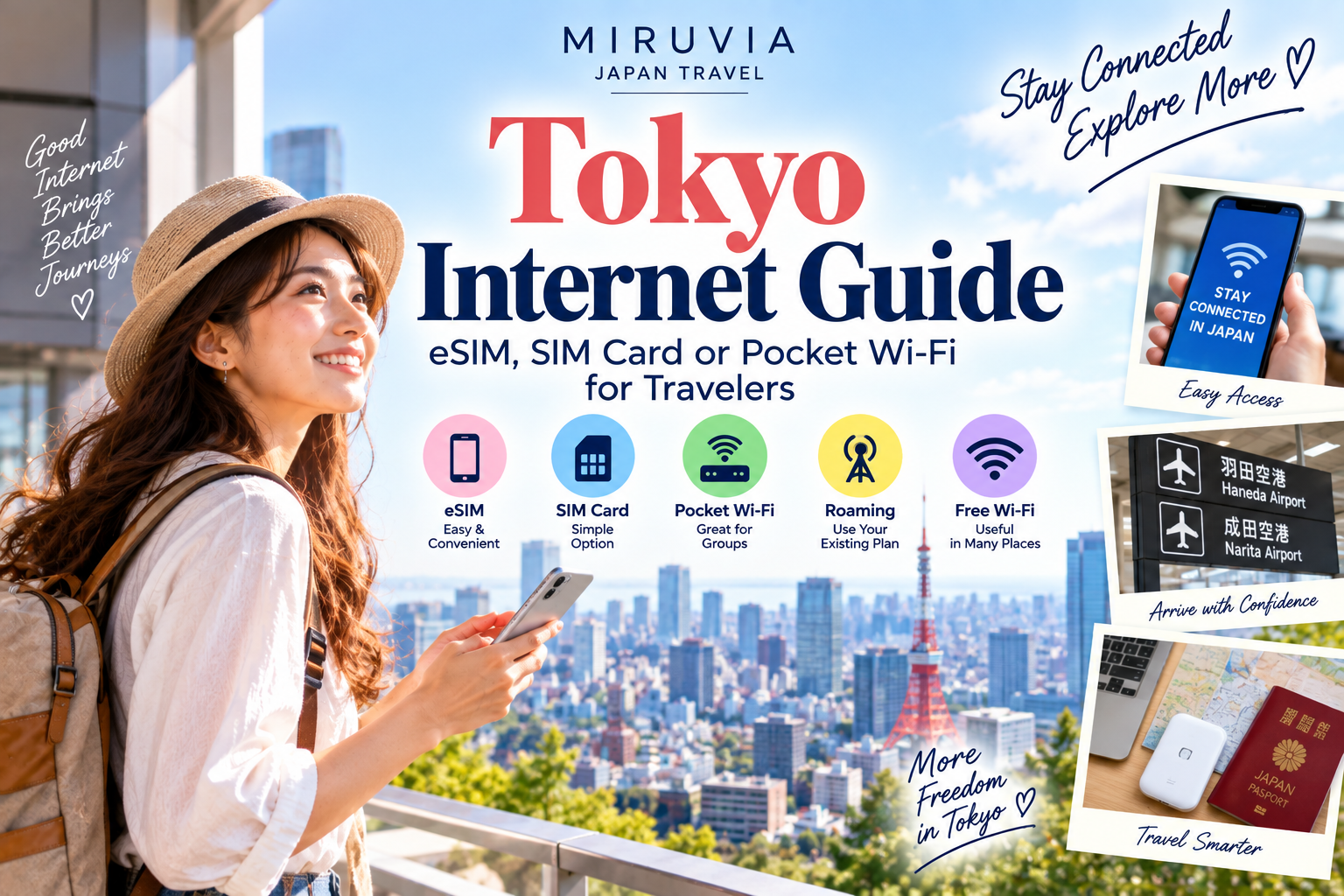
Having reliable internet access can make traveling around Tokyo much easier.
You may need your phone to navigate Tokyo’s train system, check Google Maps, translate Japanese text, look up restaurant information, communicate with your hotel, or find your way back after exploring an unfamiliar neighborhood.
For first-time visitors, however, choosing how to stay connected in Japan can be confusing.
Should you buy an eSIM? Use a physical SIM card? Rent a pocket Wi-Fi device? Or simply use international roaming from your mobile carrier?
Each option has advantages and disadvantages.
This Tokyo internet guide explains the main ways travelers can stay connected, how they differ, and what to consider before choosing the best option for your trip.
Tokyo Internet Options at a Glance
| Option | Best For | Main Advantage | Main Consideration |
|---|---|---|---|
| eSIM | Most solo travelers | Easy setup without changing SIM cards | Requires a compatible phone |
| Physical SIM | Travelers without eSIM support | Simple mobile data option | Requires changing or adding a SIM |
| Pocket Wi-Fi | Families and groups | Multiple devices can connect | You must carry and charge the device |
| International roaming | Short or convenient trips | Uses your existing mobile service | Cost depends on your carrier |
| Free Wi-Fi | Occasional internet use | No separate mobile plan needed | Coverage and reliability vary |
The best option depends on your phone, trip length, number of travelers, and how much mobile data you expect to use.
Why You Need Internet in Tokyo
Tokyo has an excellent transportation system, but navigating such a large city is much easier with internet access.
Travelers commonly use mobile data for:
- Google Maps
- Train and subway directions
- Translation apps
- Restaurant searches
- Hotel information
- Attraction opening hours
- Digital tickets
- Messaging
- Weather forecasts
- Currency conversion
- Travel reservations
Even if you prefer not to use your phone constantly, having reliable internet available can provide useful backup when plans change.
1. Using an eSIM in Tokyo
An eSIM is a digital SIM that can be installed on compatible smartphones without inserting a physical SIM card.
For many international travelers, this is one of the most convenient ways to get mobile data in Japan.
You can often purchase and install an eSIM before arriving.
Depending on the service, you may activate it before departure or after arriving in Japan.
Advantages of an eSIM
An eSIM can be convenient because:
- You do not need to replace your physical SIM.
- You can arrange mobile data before arriving.
- There is no additional device to carry.
- Setup can often be completed directly on your phone.
- You may be able to keep your regular SIM active for calls or messages.
For solo travelers with a compatible smartphone, this can be a very practical option.
Things to Check Before Buying an eSIM
Before purchasing one, confirm:
- Your phone supports eSIM.
- Your phone is unlocked if required.
- The plan works in Japan.
- The data allowance matches your needs.
- You understand when the plan becomes active.
- You know whether tethering is allowed if you need it.
- You have saved the installation instructions.
Do not wait until you are standing in an unfamiliar Tokyo station to learn how your eSIM works.
Prepare before your trip whenever possible.
2. Using a Physical SIM Card
A physical prepaid SIM can be another option for travelers.
This may be particularly useful if your phone does not support eSIM.
You insert the SIM into your phone and use the mobile data service provided by the plan.
Advantages of a Physical SIM
A physical SIM may work well when:
- Your phone does not support eSIM.
- You are comfortable changing SIM cards.
- You prefer a traditional SIM setup.
- You want mobile data without carrying another device.
Things to Check
Before using a physical SIM, confirm:
- Your phone is compatible.
- Your phone can use the required network.
- Your device is unlocked if necessary.
- The SIM size is correct.
- You understand the activation process.
- You know where your original SIM will be stored safely.
Be careful not to lose your regular SIM while traveling.
A small SIM case can be useful.
3. Using Pocket Wi-Fi in Tokyo
Pocket Wi-Fi is a portable router that creates a Wi-Fi network using mobile data.
Your phone, tablet, laptop, and other devices can connect to it.
This option has long been popular with visitors to Japan.
Advantages of Pocket Wi-Fi
Pocket Wi-Fi can be particularly useful for:
- Families
- Couples
- Groups traveling together
- Travelers carrying several devices
- People who need to connect a laptop
Instead of purchasing separate data plans for every device, multiple devices may be able to connect to the same router.
Disadvantages of Pocket Wi-Fi
There are also practical disadvantages.
You need to:
- Carry another device.
- Keep it charged.
- Remember to take it with you.
- Follow the rental return procedure.
- Stay relatively close to the device to remain connected.
If members of your group separate during the day, the person carrying the router may be the only one with internet access.
For travelers who frequently explore independently, individual eSIMs or SIM cards may be more convenient.
4. Using International Roaming
Your existing mobile carrier may offer international roaming in Japan.
This can be the simplest option because you may not need to install a new SIM, configure an eSIM, or rent another device.
Advantages of International Roaming
Roaming can be convenient because:
- You keep using your existing phone setup.
- There is no additional device.
- Setup may be minimal.
- Your regular phone number remains available according to your carrier’s service.
The Main Issue: Cost
Roaming prices and conditions vary significantly by mobile carrier and plan.
Before traveling, check:
- Whether Japan is included.
- Daily or trip-based charges.
- Data limits.
- Speed restrictions.
- Call and SMS charges.
- How to activate roaming.
Never assume international data will be inexpensive simply because your phone connects automatically.
Check your carrier’s terms before departure.
eSIM vs SIM Card vs Pocket Wi-Fi
For many travelers, the decision comes down to these three options.
Choose an eSIM If:
- Your phone supports eSIM.
- You are traveling alone.
- You want to prepare before arrival.
- You do not want to carry another device.
- You want mobile data directly on your phone.
Choose a Physical SIM If:
- Your phone does not support eSIM.
- Your phone accepts compatible physical SIM cards.
- You are comfortable replacing or adding a SIM.
- You want internet directly on your phone.
Choose Pocket Wi-Fi If:
- Several people will stay together.
- You have multiple devices.
- You want to connect a laptop or tablet.
- You do not mind carrying and charging a router.
There is no universal winner.
The right choice depends on how you travel.
Which Option Is Best for Solo Travelers?
For many solo travelers, an eSIM or physical SIM can be particularly convenient.
Your internet connection stays with your phone, so there is no separate router to carry.
This can be useful when exploring Tokyo independently, especially when you rely heavily on maps and train directions.
International roaming may also be worth considering if your existing plan offers suitable conditions.
Which Option Is Best for Couples?
Couples have two main strategies.
You can each have your own mobile connection, or share a pocket Wi-Fi device.
Individual connections provide more independence.
If one person goes shopping while the other visits a different attraction, both can still navigate and communicate.
Pocket Wi-Fi may work well when you expect to stay together most of the time.
Which Option Is Best for Families or Groups?
Pocket Wi-Fi can become more attractive for groups because several devices may be able to share one connection.
However, think about whether the group will separate.
If parents, children, or friends frequently go in different directions, relying on one router can become inconvenient.
In that situation, separate mobile connections may provide greater flexibility.
How Much Data Do You Need in Tokyo?
Data usage varies enormously.
Light users may mainly use:
- Maps
- Messaging
- Basic web searches
- Train directions
Heavier users may also use:
- Social media
- Video calls
- Cloud backups
- Music streaming
- Video streaming
- Frequent photo uploads
Navigation and messaging usually use less data than watching large amounts of video.
Before choosing a plan, think about your normal phone habits.
Save Data While Traveling
You can reduce mobile data usage by:
- Downloading offline maps where appropriate.
- Using hotel Wi-Fi for large downloads.
- Disabling automatic app updates.
- Limiting cloud photo backups on mobile data.
- Downloading entertainment before leaving the hotel.
- Avoiding unnecessary video streaming.
This can make a smaller data allowance more practical.
Internet Access After Arriving at the Airport
Ideally, arrange your internet connection before you need to navigate from the airport.
Having data shortly after arrival can help you:
- Check your route into Tokyo.
- Find your hotel.
- Contact your accommodation.
- Translate information.
- Check train schedules.
- Access reservation details.
If you are using an eSIM, save the setup instructions before departure.
If you are collecting a SIM or pocket Wi-Fi device after arrival, confirm the pickup location and operating conditions in advance.
For help planning your arrival in the city, read our Tokyo Airport Guide covering Haneda and Narita.
Do You Need Internet for Tokyo Trains?
You can use Tokyo’s transportation system without constant internet access, but mobile data makes it significantly easier for first-time visitors.
Navigation apps can help identify:
- Which train to take
- Which platform to use
- Where to transfer
- Approximate journey times
- Which station exit may be useful
Tokyo has an enormous rail network, and real-time navigation reduces much of the uncertainty.
For a complete explanation of trains, subways, IC cards, and getting around the city, see our Tokyo Transportation Guide.
Google Maps in Tokyo
Google Maps can be extremely useful when traveling around Tokyo.
It can help with walking directions, station locations, train routes, restaurants, hotels, and attractions.
However, do not follow your phone blindly.
Large stations can have multiple levels and many exits.
Use station signs together with your navigation app.
Translation Apps
Mobile translation can also make traveling easier.
You may use translation tools for:
- Menus
- Signs
- Product labels
- Instructions
- Basic communication
Camera-based translation can be especially useful when encountering Japanese text.
Download any useful language resources before your trip if your preferred translation app supports offline features.
Can You Travel Using Only Free Wi-Fi?
It is possible to use public and hotel Wi-Fi for some travel needs, but relying entirely on free Wi-Fi can be inconvenient.
Availability varies.
You may find Wi-Fi at:
- Hotels
- Airports
- Cafés
- Shopping centers
- Some stations
- Certain public facilities
The problem is that you may need internet most when you are walking between these places.
For example, getting lost on a small street is exactly when reliable mobile data becomes useful.
For most first-time visitors, having some form of mobile internet is more convenient than depending exclusively on free Wi-Fi.
Hotel Wi-Fi
Most travelers will use hotel Wi-Fi at some point during their stay.
It can be useful for:
- Video streaming
- Uploading photos
- Downloading maps
- Updating apps
- Making video calls
- Planning the next day
Connection quality varies by accommodation.
Do not assume hotel Wi-Fi will replace mobile data everywhere else in Tokyo.
Public Wi-Fi Safety
Be cautious when using public Wi-Fi networks.
Avoid entering sensitive information on networks you do not trust.
Use secure websites and follow normal digital security practices.
Also confirm that you are connecting to the correct network rather than a similarly named unknown network.
Keep Your Phone Charged
Internet access is useless if your phone battery is empty.
Navigation, photography, translation, and mobile data can consume significant battery during a full sightseeing day.
Consider carrying a portable battery if you expect heavy phone use.
Charge your phone fully before leaving your accommodation.
What If Your Internet Stops Working?
Do not panic.
Try basic troubleshooting:
- Check whether mobile data is enabled.
- Confirm the correct SIM or eSIM is selected for data.
- Toggle airplane mode on and off.
- Restart your phone.
- Check the provider’s setup instructions.
- Connect to trusted Wi-Fi if available.
- Review APN settings if your service requires them.
The exact solution depends on your device and service.
Saving setup instructions offline before your trip can be extremely helpful.
Prepare for Internet Problems Before Your Trip
Even with a reliable data plan, prepare a few backups.
Save:
- Your hotel name and address
- Important reservation details
- Airport information
- Essential train routes
- Emergency contact information
- Screenshots of important tickets
- Your internet provider’s setup instructions
You should still be able to handle basic travel situations if your connection temporarily disappears.
Common Internet Mistakes in Tokyo
Avoid these common mistakes:
- Buying an eSIM without checking phone compatibility
- Forgetting whether your phone is unlocked
- Activating a plan too early
- Losing your original physical SIM
- Forgetting to charge pocket Wi-Fi
- Separating from your group while one person has the only router
- Using international roaming without checking the price
- Depending completely on free Wi-Fi
- Using large amounts of data without checking your allowance
- Arriving in Japan without saving setup instructions
Most connectivity problems are easier to solve before your trip than after arrival.
Internet Checklist Before Flying to Tokyo
Before departure, confirm:
- Which internet option you will use
- Phone compatibility
- SIM lock status if relevant
- Activation instructions
- Data allowance
- Plan duration
- Roaming settings
- Pocket Wi-Fi pickup and return procedures if applicable
- Important information saved offline
- A way to keep your phone charged
For everything else to prepare before departure, see our Tokyo Packing List for First-Time Visitors.
Completing these steps before departure can make your arrival much smoother.
Which Internet Option Should You Choose?
A simple way to decide is:
Solo traveler with a compatible phone: Consider an eSIM.
Phone without eSIM support: Consider a physical SIM.
Family or group staying together: Consider pocket Wi-Fi.
Traveler with a convenient existing roaming plan: Compare international roaming with the other options.
Traveler who barely uses mobile data: A smaller data option combined with Wi-Fi may be sufficient.
The goal is not to find the most complicated or feature-rich plan.
Choose the option that makes your trip easier.
Final Thoughts
Reliable internet access can remove a surprising amount of stress from a first trip to Tokyo.
Maps help you navigate enormous stations, translation tools help you understand unfamiliar information, and mobile data allows you to adjust plans while exploring the city.
For many travelers, an eSIM provides a simple solution when their phone supports it. Physical SIM cards remain useful for compatible devices, while pocket Wi-Fi can work well for families, groups, and travelers with multiple devices. International roaming may also be convenient depending on your existing mobile plan.
Whichever option you choose, prepare it before you need it.
A few minutes of planning before your flight can make navigating Tokyo much easier from the moment you arrive.
Continue planning your first visit with our complete Tokyo Travel Guide for First-Time Visitors.
